
Have you searched for your business on Google Maps and wondered, “Why is my business not showing on Google Maps?”
You’re not alone.
A business not showing on Google Maps can still have a website, good reviews and an active Google Business Profile, but not appear when customers search for relevant services nearby.
The good news is that this doesn’t always mean something is seriously wrong with your business. There can be several reasons behind poor Google Maps visibility, from verification issues and incomplete profile information to local relevance, distance and competition.
In this guide, we’ll look at 15 common reasons why a business is not showing on Google Maps and what you can do to improve its visibility.
1. Your Google Business Profile Is Not Verified
One of the first things to check is whether your Google Business Profile is verified.
Google says businesses need to add or claim and verify their Business Profile to show their business information on Search and Maps.
Fix:
Log in to the Google account managing your profile and check the verification status. If verification is pending, complete Google’s available verification process.
2. Your Business Profile Is Very New
If you recently created or verified your profile, don’t expect it to immediately appear prominently for every search.
Google needs time to process business information and determine where the profile is relevant.
Fix:
Make sure the profile is complete, accurate and verified, then give Google time to process the information.
3. Your Business Information Is Incomplete
Incomplete business information can make it harder for Google to understand your business.
Important information includes:
- Business name
- Address
- Phone number
- Website
- Business hours
- Primary category
- Services
- Business description
Google recommends keeping business information complete and accurate to improve local visibility.
4. Your Primary Business Category Is Incorrect
Your primary category helps Google understand what your business actually does.
For example, a digital marketing agency should choose the category that most accurately represents its main business rather than selecting an unrelated category simply because it has more searches.
Fix:
Review your primary category and make sure it accurately describes your main service.
5. Your Business Doesn’t Match the Search Query
Google Maps doesn’t show every business for every search.
Local results are primarily influenced by relevance, distance and prominence. Relevance means how closely your Business Profile matches what the customer is searching for.
For example, someone searching for “WordPress website developer” may not see every web design company in the area.
Fix:
Clearly describe your actual services through your Business Profile, website and other relevant business information.
6. Your Address or Map Pin Is Incorrect
An incorrect address or misplaced map pin can create visibility problems.
Google recommends using a complete and accurate business address and placing the location correctly on the map.
Fix:
Check your address, building information, suite or floor details and map location.
Don’t add a fake location just to rank in another area.
7. Your Business Profile May Be Suspended
If your Business Profile violates Google’s guidelines, it can become disabled or suspended and may stop showing to users.
Google specifically recommends checking for suspension notifications when a profile disappears from Search or Maps.
Fix:
Check the Google account connected to the Business Profile for any suspension or policy notification and follow Google’s official reinstatement process.
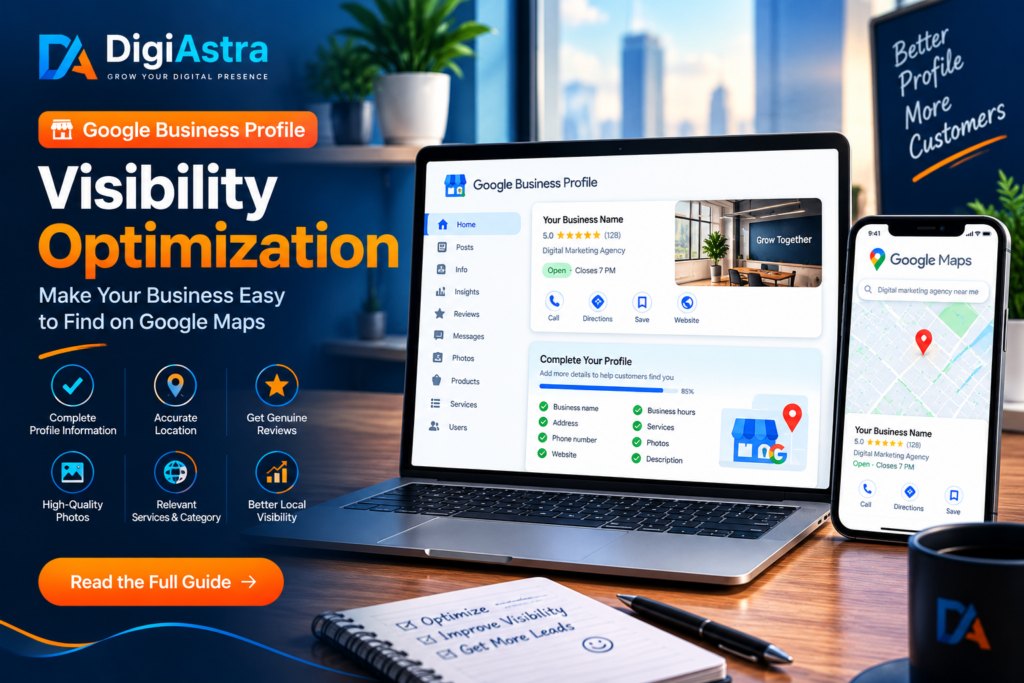
8. Your Business Information Is Inconsistent
Google collects business information from multiple sources, including your website, users, third-party data and information provided through your Business Profile.
If your business name, address or phone number is significantly different across important online sources, it can create confusion.
Fix:
Keep your core business information consistent across your website, Business Profile and relevant business directories.
9.Business Not Showing on Google Maps? Check Your Profile Information
Simply creating a profile isn’t enough.
A profile with minimal information gives Google less context about the business.
Fix:
Complete the relevant sections of your profile and provide accurate information about your services, hours, website, photos and other available features.
10. Your Business Has Weak Local Relevance
If your profile doesn’t clearly communicate what you offer and where you operate, Google may have difficulty matching it with relevant searches.
This is especially important for competitive local searches.
Fix:
Create useful local content on your website and make your services clear. Build pages that genuinely help customers rather than filling them with repeated keywords.
11. Your Competitors Have Stronger Local Presence
Sometimes nothing is technically wrong with your profile.
Your competitors may simply have stronger overall local visibility.
Google explains that prominence can be influenced by information about a business across the web, including links and reviews.
Fix:
Analyze competitors and look for legitimate opportunities to improve your website, local presence, customer reviews and relevant online mentions.
12. You’re Searching From a Different Location
Google Maps results can change depending on where the search is performed.
Distance is one of Google’s main local ranking factors. A business that appears prominently for someone nearby may appear lower for someone searching from another part of the city.
So don’t judge your local ranking from just one search location.
Fix:
Track visibility from multiple relevant areas instead of relying on a single manual search.
13. Your Website Has Weak Local SEO
Your Google Business Profile and website should support each other.
If your website doesn’t clearly explain your services, location and business information, you may be missing an opportunity to strengthen your overall online presence.
Google also uses publicly available website information when compiling business information.
Fix:
Optimize important website pages for relevant services and locations while keeping the content useful and natural.
14. Your Profile Information Has Recently Changed
Google can receive information about businesses from multiple sources and may update Business Profile information when it receives new information.
So if you recently changed your address, category, hours or other important details, your profile may not immediately behave exactly as expected.
Fix:
Check your profile regularly and make sure the information displayed publicly is accurate.
15. You’re Expecting Reviews Alone to Guarantee Rankings
Having many positive reviews is valuable, but reviews alone don’t guarantee a Top 3 position.
Google says local ranking is primarily based on relevance, distance and prominence. Reviews can contribute to prominence, but they are only one part of the overall picture.
Fix:
Don’t focus only on collecting reviews. Build a complete local SEO strategy that includes your Business Profile, website, relevant content, accurate information and genuine customer reviews.
Business Not Showing on Google Maps? Start With These Checks
If your business isn’t appearing on Google Maps, go through this quick checklist:
- Check whether your profile is verified.
- Confirm that the business is eligible for a Google Business Profile.
- Check for suspension or policy notifications.
- Make sure your business name and address are accurate.
- Check your map pin.
- Review your primary category.
- Add accurate services and business information.
- Keep business hours updated.
- Add genuine business photos.
- Check your website’s local SEO.
- Keep important business information consistent online.
- Analyze your local competitors.
- Monitor rankings from different locations.
- Continue building genuine reviews and local authority.
Final Thoughts
If you’re asking “Why is my business not showing on Google Maps?”, don’t immediately assume that you need more reviews or backlinks.
Start with the basics.
Make sure your Google Business Profile is verified, accurate and complete. Then look at relevance, distance, prominence, website quality, local content, reviews and your overall online presence.
Remember, there is no single trick that guarantees a particular Google Maps position. Google’s local results depend on multiple factors, and rankings can vary based on the search and location.
A consistent, long-term local SEO strategy is usually a much better approach than trying to manipulate one ranking factor.
If you want to improve your Google Maps visibility, start by fixing the fundamentals and then build your local authority over time.
Better information. Better relevance. Better local visibility.